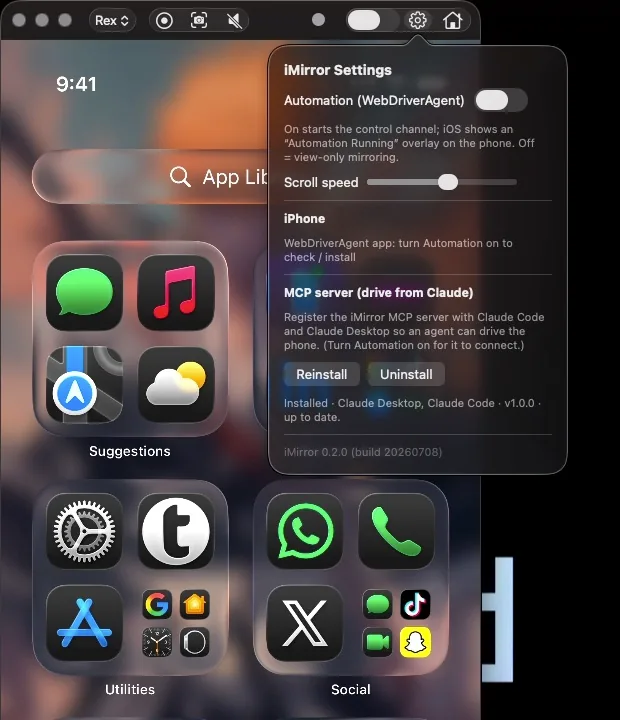
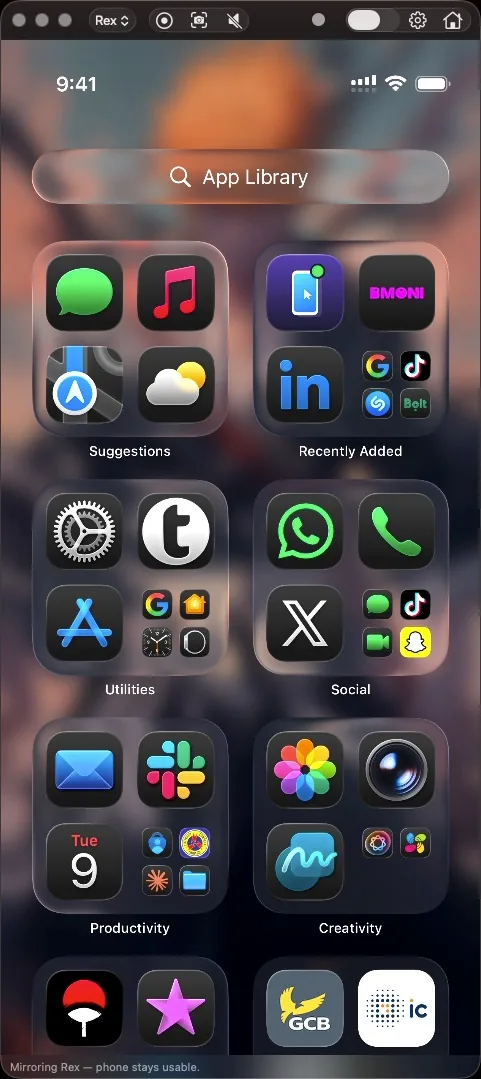
Mirror and control a USB-connected iPhone from your Mac while the phone stays usable.
0
Third-party Swift packages
6
Tagged releases
20
Frames per second, up to
iMirror is a macOS app (macOS 14 and later, MIT licence, v0.6.0 in October 2026) that mirrors a USB-connected iPhone into a window and controls it from the Mac. Unlike Apple's iPhone Mirroring, it does not lock the phone, so the phone stays usable while mirrored. It also ships an MCP server that turns it into an agent-driven test rig for real devices.
Mirror and control
The mirror renders WebDriverAgent's MJPEG stream at about 10 to 20 fps, and the phone keeps its own audio. From the preview you can tap, drag, scroll with two fingers on the trackpad (with flick detection), type and press Home, and an accent outline shows while Control is on. Screenshots save full-resolution PNGs to ~/Pictures with a draggable thumbnail in the corner: drag it to Finder or Slack, or click it to open in Preview.
Small trusted surface
The app is Swift with zero third-party Swift packages, using AppKit, Network, CoreGraphics and ImageIO. Device control rides on go-ios and WebDriverAgent, both pinned, osv-scanned and built from source, and talking over loopback only.
Install and self-heal
It ships as a notarized Universal2 DMG that bundles go-ios and the WDA runner, so no Xcode, Go or terminal is needed. It installs and upgrades the WDA runner on the phone by itself, never downgrades, and keeps the old runner if an upgrade fails. Recovery is a staged ladder: restart the runner, then restart the whole chain, then stop with a tap-to-retry prompt. A no-frame watchdog, an orphan-process sweep at launch and a green, yellow or red health dot cover the rest. The iOS Simulator works alongside a physical phone.
MCP test rig
A Python MCP server exposes ios_* tools for screenshot, tap, swipe, scroll-until-visible, type, find-and-tap, wait-for text, assertions, app lifecycle and install, deep links, clipboard and the accessibility source, plus simulator-only push, privacy and status-bar tools. Opt-in test-run recording emits a self-contained HTML report with a cover verdict, a pass and fail donut, failures first, embedded screenshots and a timelapse. One click registers it with Claude Code and Claude Desktop.
Honest limits
It is macOS only and handles one physical device at a time. Frame rate is 10 to 20 fps, and there is no App Switcher, Control Center or Siri.
Highlights
- Mirror a USB-connected iPhone while the phone stays usable
- Tap, drag, two-finger scroll with flick detection, type and Home from the preview
- Full-resolution PNG screenshots with a draggable thumbnail
- Zero third-party Swift packages
- go-ios and WebDriverAgent pinned, osv-scanned, built from source, loopback only
- Notarized Universal2 DMG that bundles go-ios and the WDA runner
- Staged recovery ladder, no-frame watchdog and a health dot
- Python MCP server with ios_* tools and an HTML test-run report