· 15 min read
Building a BMW E30 explorer in Rive: the model was only the start
How I built a BMW E30 explorer with Rive CLI, Codex and a licensed 3D model, including opening panels, driving controls, rendering fixes and honest limits.
I wanted a car I could inspect, open up, and drive around. What I ended up learning was how much work sits between a good-looking 3D asset and a convincing interactive object.
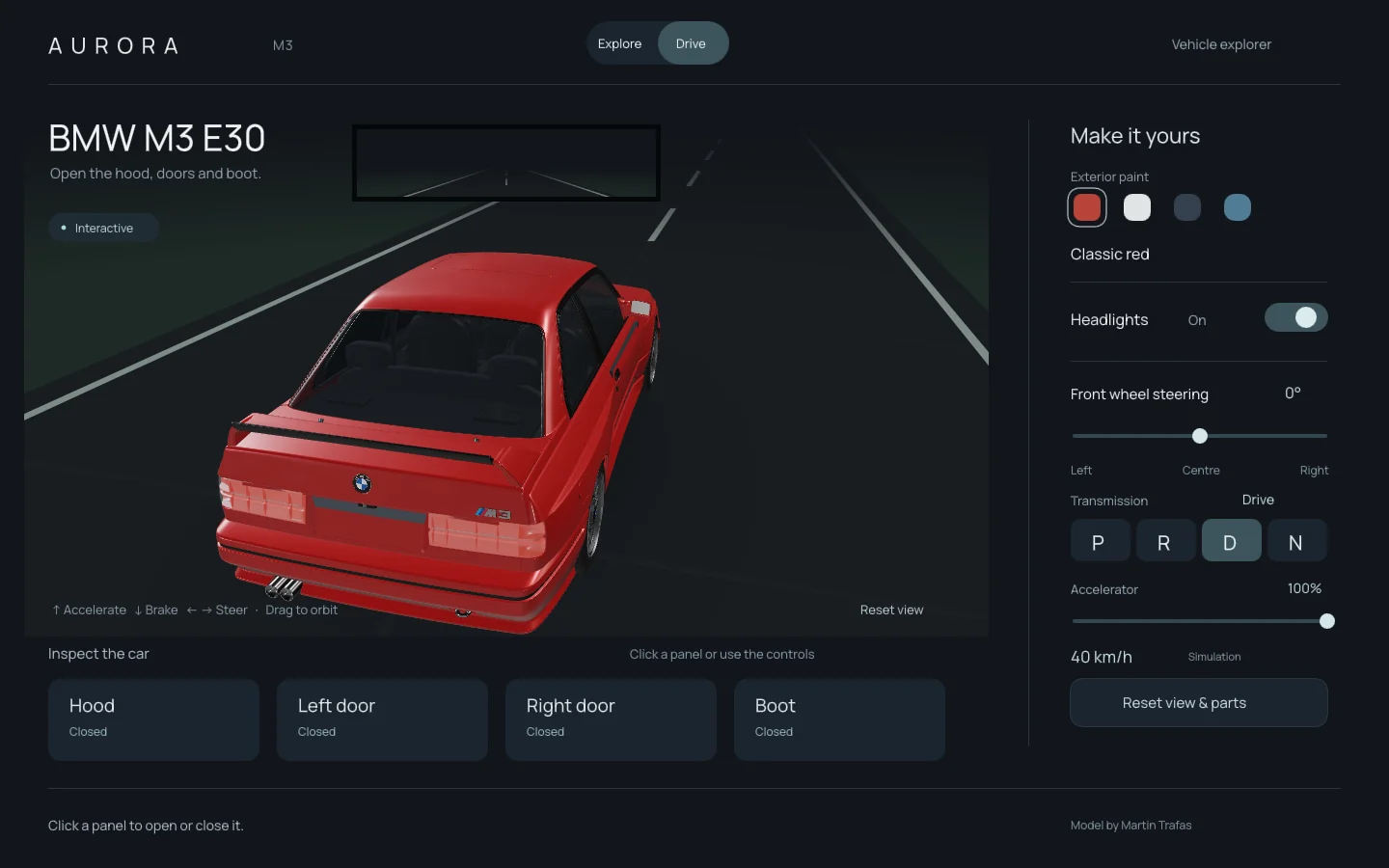
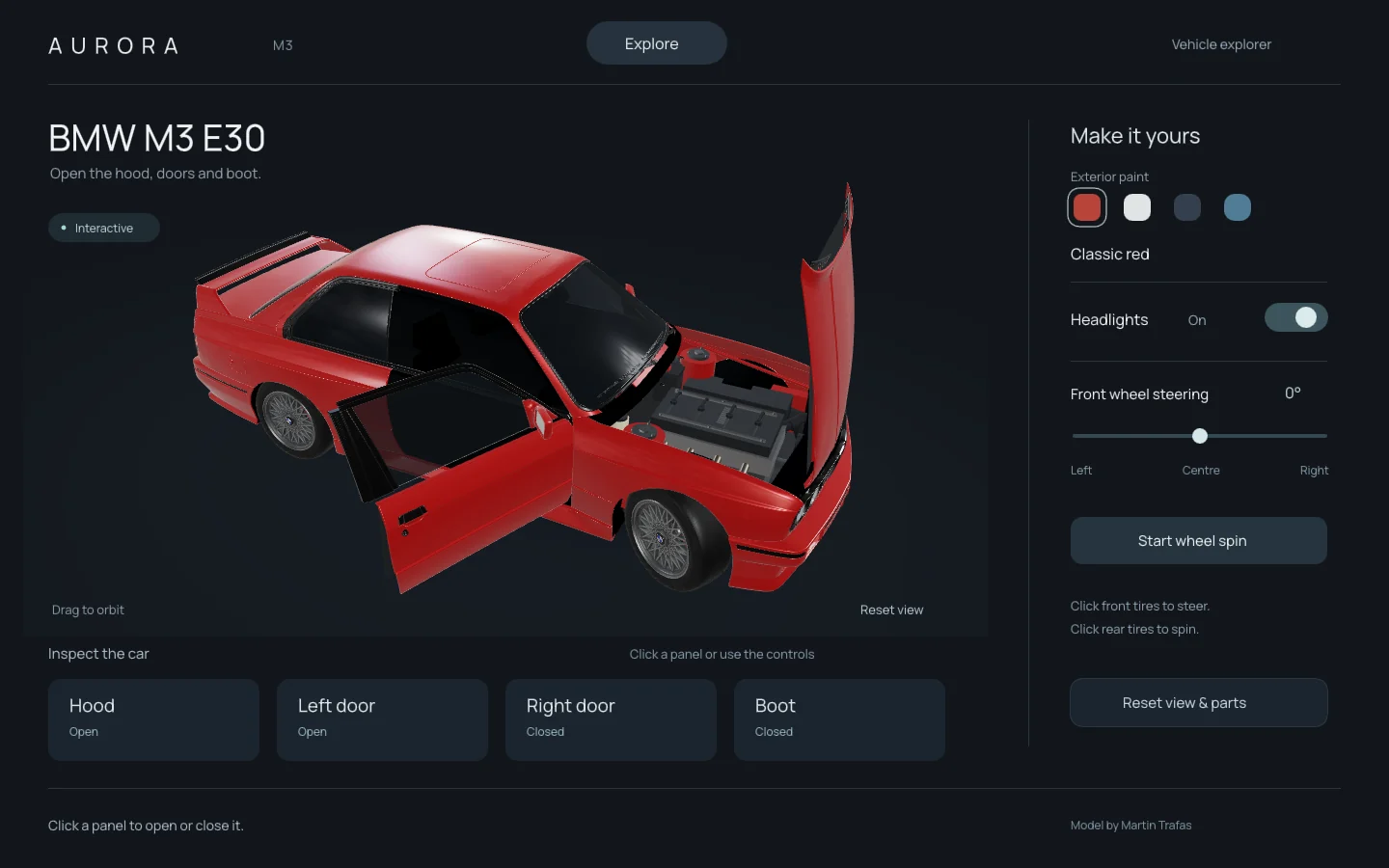
The result is a BMW M3 E30 explorer built locally with the native Rive CLI. The hood, both doors and boot open. The front wheels steer, the wheels roll, and the accelerator and brake pedals move with the driving inputs. There is paint selection, a headlight switch, and a live rear-camera feed. It is also full of compromises I can now point to much more precisely than when I started.
Starting with the right car
This began as an Aurora car console with a generic vehicle. I then replaced it with Martin Trafas's BMW M3 E30 model on Sketchfab, credited under CC BY 4.0 in the project's model records. That was the most useful decision in the build.
Before that import, I tried building a reference-inspired BMW 3.0 CSL procedurally. This was a different car, not an early E30 model. The archived generator builds its body from surfaces, boxes, cylinders and rods. The screenshots show where that approach got me: a recognizable coupe outline and working console controls, but slab-like bodywork, hard transitions and crude proportions.
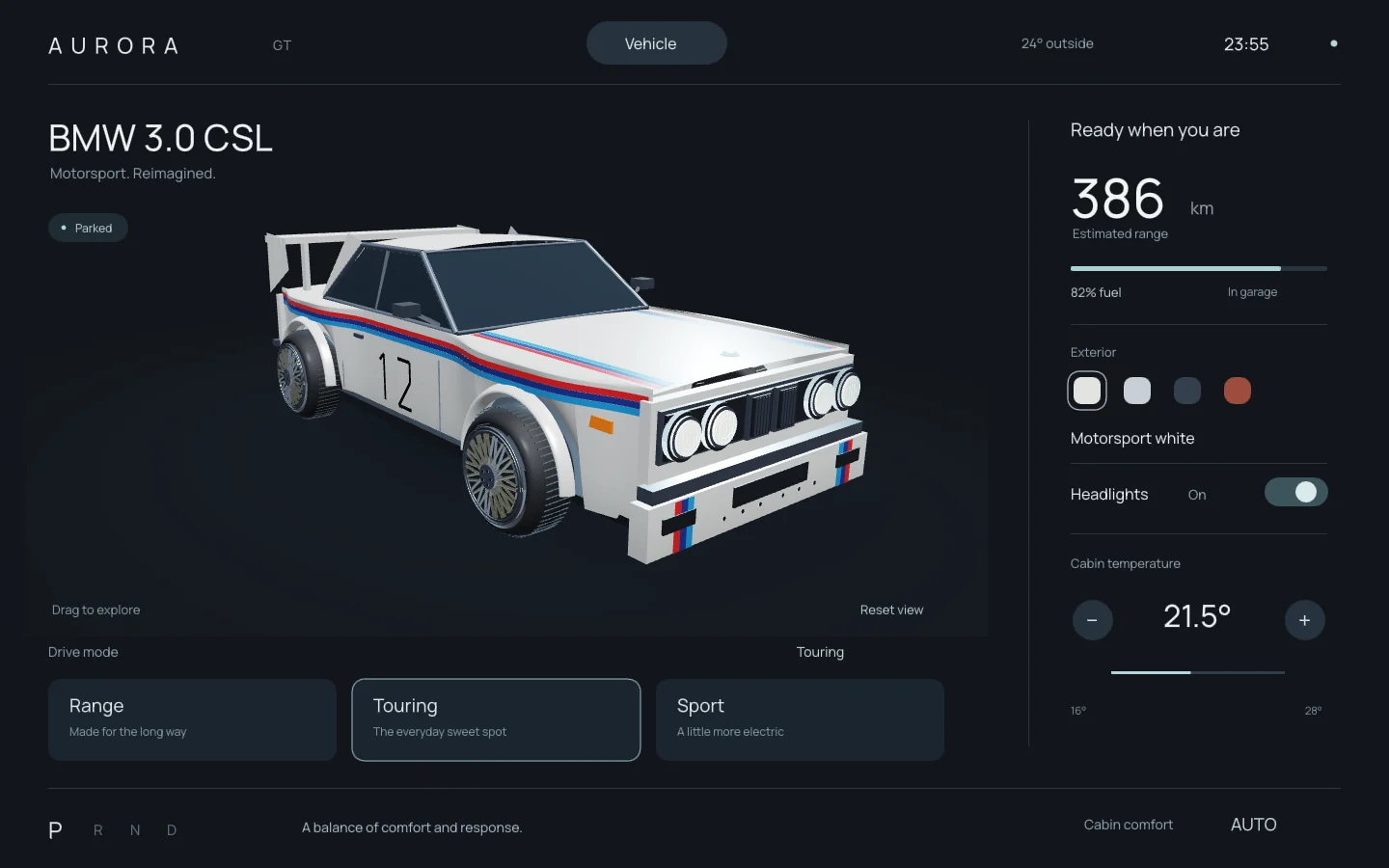
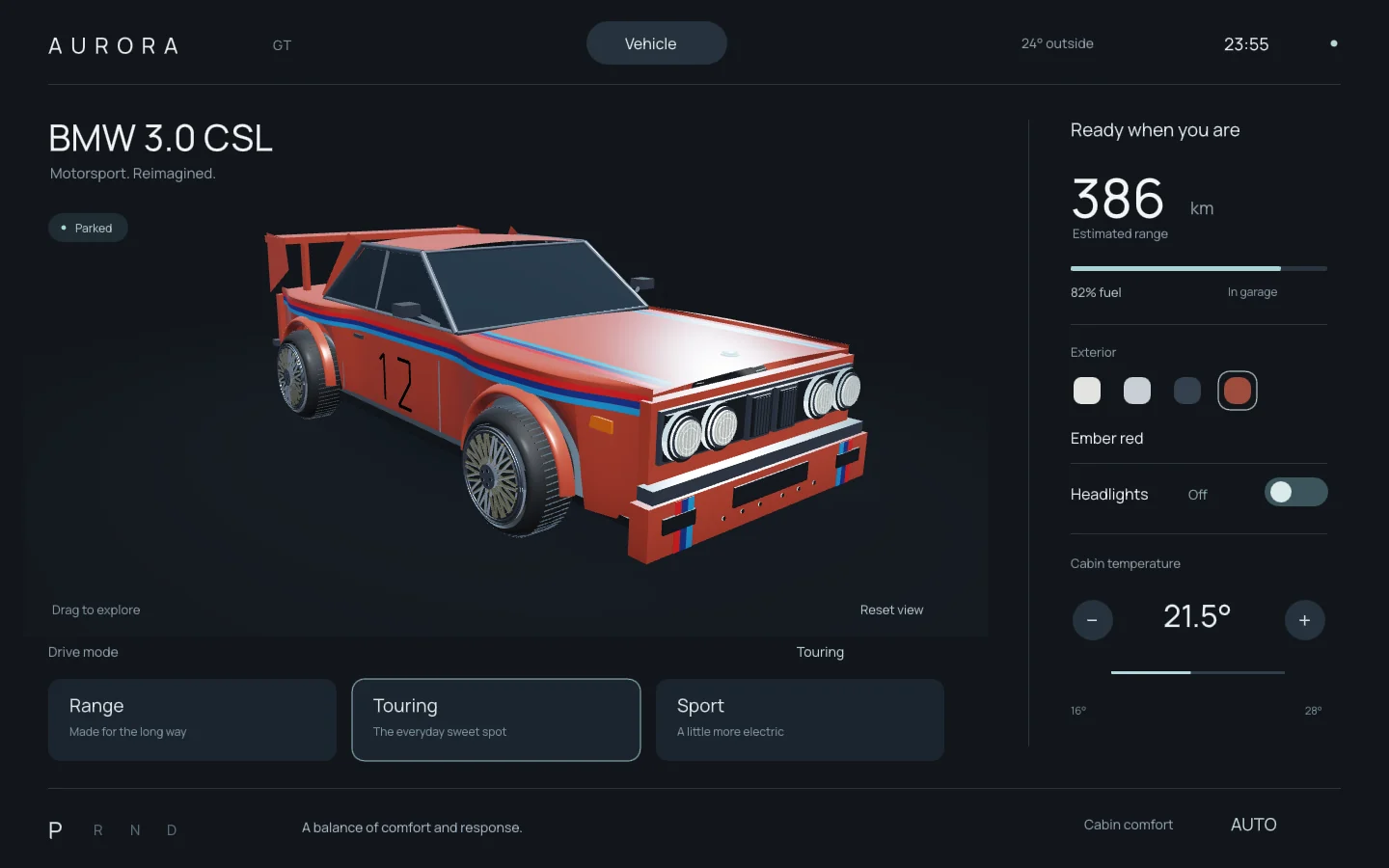
The prebuilt model supplied recognizable proportions, body surfacing, badges, wheels and source textures. Asking an agent to keep adding primitives would not have given me the same starting point. I could spend my time on what happened when someone touched the car.
But importing a model did not make it ready for interaction. Parts needed separating, pivots needed placing, and the picking geometry had to follow the same transformations as the visible panels. Some cabin backing obscured the interior. The engine bay and much of the cabin detail still needed work. A model can look right from its presentation angle while hiding problems that only appear when it moves.
What actually ran in Rive
I installed Rive CLI 1.8.0 from rive.app/cli and built and previewed this natively on my Mac. RML supplied the interface and bindings, Luau handled state, input and GPU resources, and WGSL handled the custom rendering. I did not build every feature in the browser editor.
The asset path ran from the creator's Blender source through a GLB export into packed vertex and index buffers. Textures became material atlases. The renderer used physically based materials and HDR studio lighting, with GGX-prefiltered environment levels to soften reflections as surfaces became rougher.
Two modes gave the project a useful shape. In Explore, I can orbit the car, open panels, inspect the cabin, and adjust steering and wheel motion. In Drive, the panels close and the camera follows the car across a simple road. Up accelerates, Down brakes, and Left and Right steer. The steering wheel follows the road wheels, and the accelerator and brake pedals respond too.
I deliberately kept P/R/D/N controls. The real E30 M3 has a manual gearbox; this interface does not reproduce its clutch and five-speed operation. Changing between forward and reverse decelerates through zero, Neutral coasts down, and Park holds the car. The visible manual-style shifter and clutch pedal belong to the car's appearance, not a simulated manual transmission.
Three bugs that changed how I inspected assets
The reflections initially looked fragmented and wrong. Tweaking the paint alone was not enough. A controlled GPU regression compared the same lookup through two texture paths and reproduced incorrect alpha through Image.view in this CLI setup. Uploading standalone rgba8unorm GPU textures preserved the channels. Explicit linear minification, magnification and mipmap filtering, together with the GGX-prefiltered HDR environment, removed the harsh polygon-like reflections.
That is a finding about the version and path I tested. I would not turn it into a claim that every Rive Image API is broken. The useful habit was isolating the texture lookup so a material change could not disguise the underlying defect.
The front wheels had a different problem: they wobbled when spinning. The source model carried a baked display steering pose of about -28.7 degrees. I removed that pose during import, then applied local axle spin and runtime steering in the correct order. The asset's initial pose was part of the bug.
I also confused camera-facing left and right with the vehicle's own coordinates. In this project the nose is +Z, the roof is +Y, and vehicle-left is +X. Correcting that convention meant fixing door labels and pivots, the left-hand-drive controls, steering sign, and pedal order. I added regressions for those relationships because a plausible camera angle can conceal a mirrored layout.
Opening the hood should leave the camera alone
At one point, opening the hood sent the camera spinning. Panel toggles were retargeting an absolute yaw. After I had orbited through a large angle, easing toward that fixed target could take the long route around the car. An idle turntable also moved the view after I had left it alone.
I removed automatic panel framing and idle rotation. Opening a panel now preserves the orbit I chose. A further regression caught the same sort of reset when moving from Drive into hood inspection. That transition now stops the car while retaining the camera angle. Dragging and Reset view remain explicit ways to move the camera.
This was a small interaction with a large effect on how the object felt. I had asked to inspect the engine; the interface was making me recover my viewpoint first.
More geometry did not automatically mean more realism
The first procedural seats, dashboard and engine were too boxy. More generated parts made the scene busier without making it much more accurate. Closer reference inspection gave me more useful corrections than another vague request for detail.
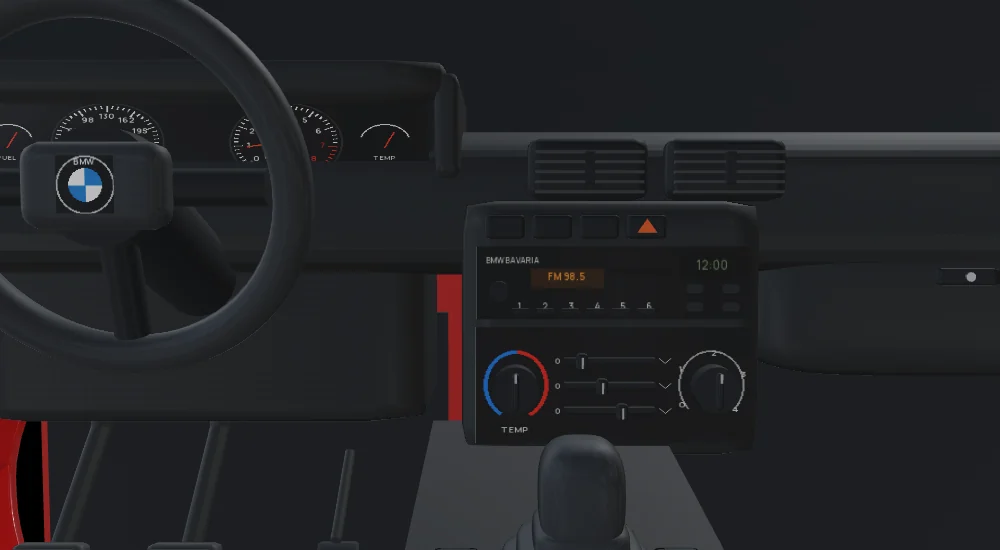
I rebuilt contoured cushions and bolsters, a swept dashboard, glovebox, sloping console and shift gaiter. The control layout needed a specific correction: two heater dials with three airflow sliders below the radio, rather than the generic three-knob arrangement from an earlier pass. The instrument and control decals are original work.
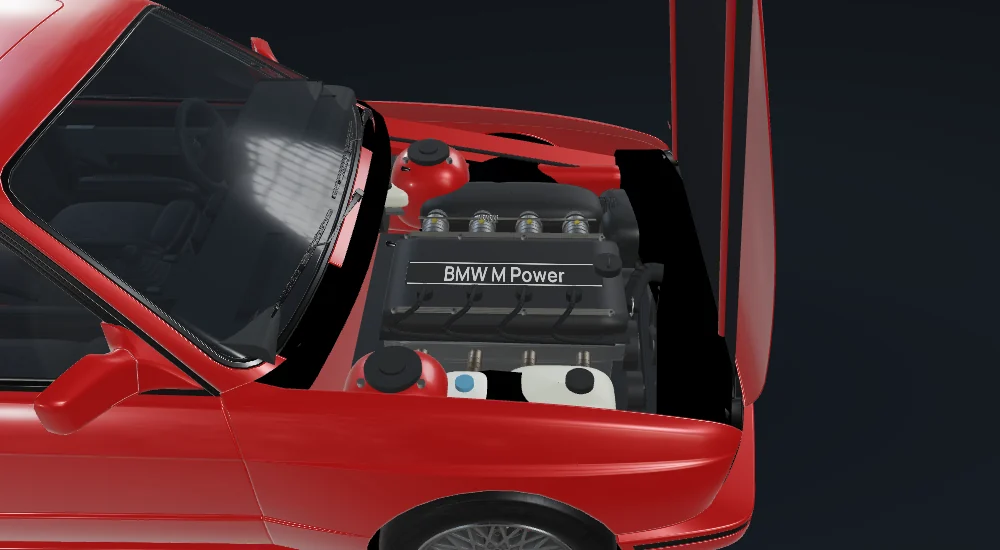
The engine bay gained an S14-style cover, curved intake runners, hoses, reservoirs and fasteners. I removed a battery-shaped placeholder from the bay after checking the real layout: the E30 M3 battery belongs in the boot. These changes make the scene easier to read, but they do not turn the engine into a mechanically exact reconstruction.
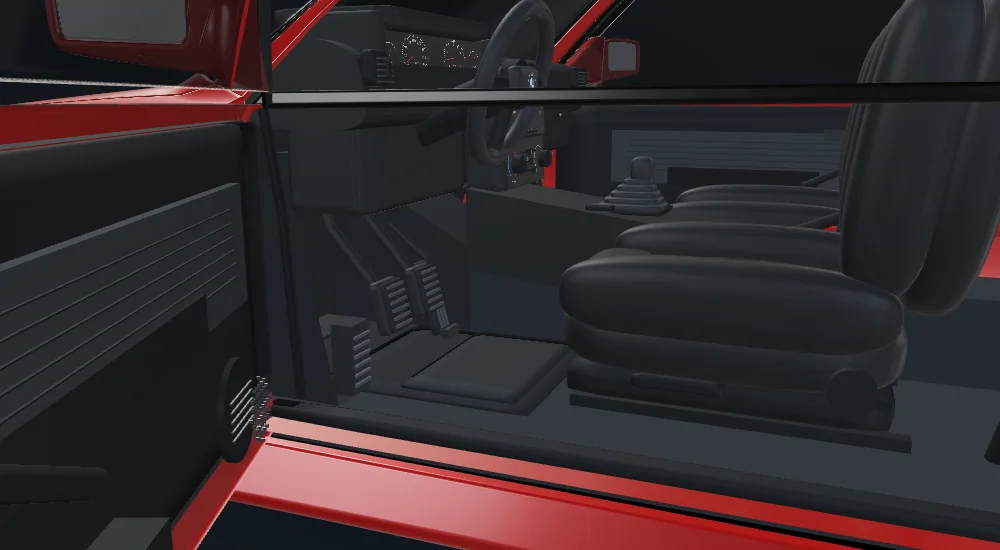
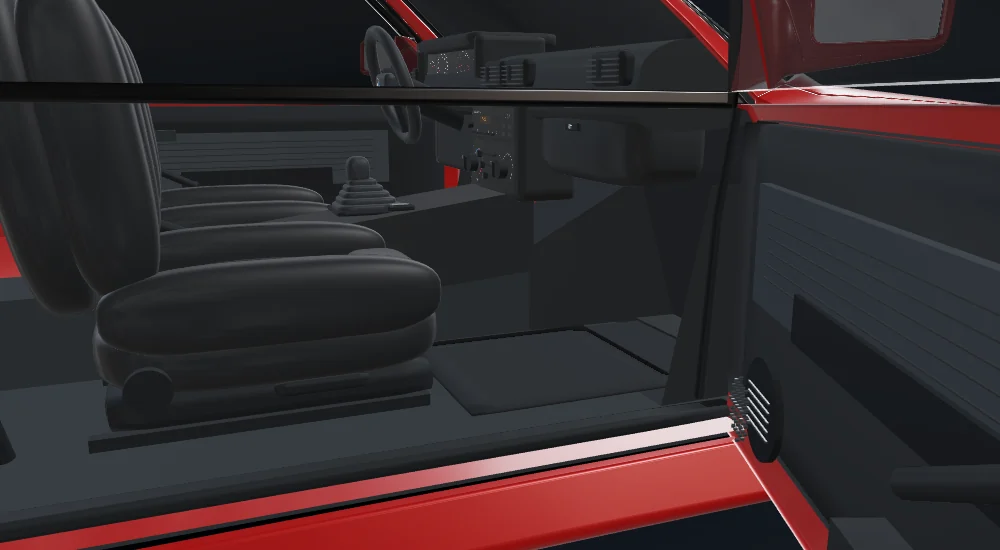
Fit mattered as much as surface detail. The sill was too tall, flat footwell slabs blocked leg space, and there were gaps between door cards and bodywork. I lowered the trim, recessed and sloped the toe boards, and filled the door-card returns. The mirror mount also initially clipped through the windscreen; moving it inward and down kept it inside the cabin.
A rear view with a clear limitation
The final mirror uses a separate 512 × 128 render from the rear-window area, sharing the car's road position and heading. That texture appears on the cabin mirror and in a strip at the top of Drive mode, where it stays useful with the exterior camera.
It is a rear-camera feed, not a ray-traced optical reflection through the cabin. There is road and surrounding scenery, but no traffic. Keeping that distinction explicit matters more than calling it a realistic mirror.
The checks compare actual rendered mirror pixels during forward travel, reversing and steering. A static image of a road would not satisfy those checks. They establish that the feed responds to the simulation, not that it matches the optics of a real mirror.
What 77 checks told me
The final recorded suite passed 77 checks. Native Rive verification reported zero errors and warnings, and scene inspection reported no problems. The suite dispatches actual Rive pointer and key events as well as checking geometry and material behaviour.
It covers opening and closing moved panels, dragging without accidentally opening the hood, wheel alignment, vehicle-relative sides, camera preservation, gear changes, braking priority, key release and repeat, opposing steering inputs, reset behaviour, footwell clearance, the GPU material regression and the changing rear-view pixels.
Those results let me say that the tested interactions work in this local build. They do not prove photorealism, factory accuracy or every possible input edge case. OS window focus loss was outside the headless suite. Driving is basic kinematics, without validated tyre traction, suspension or collisions. Reflections come from the environment and contact shading is approximate; there is no ray tracing, refraction or real-time self-shadowing.
The build also contains unsigned scripts. Signing and publishing require a separate Rive login and workflow. I have not verified this artifact as an embeddable web demo, so this post shows screenshots of the native experiment.
Where I would use an agent again
Agents were useful for import and packing automation, shader iteration, rigging and input logic, supporting geometry, repeatable checks, and diagnosing failures I could reproduce. They were weaker at recreating complex, factory-accurate automotive shapes from text. That is what I observed in this project, not a universal benchmark.
For another recognizable product, I would start by inspecting a high-quality licensed model: topology, separate parts, axes, pivot origins, materials, hidden backing and the license itself. I would budget time for adaptation even if the preview looked excellent. For a photoreal brief, the remaining procedural cabin would still need substantially better source geometry and rendering work.
I would use agent-generated geometry for placeholders, stylized objects and supporting details where I can judge the result against a clear reference. The useful division here was a strong source asset for the car's identity, with automation around the preparation and interaction work. The fixes came faster once I stopped treating every visual problem as a request for more geometry.
Where I would use this
The useful part of this experiment is the interaction pattern: an object people can inspect, change and understand by touching it. A car is one example. I can see a few practical directions for the same idea:
- An interactive mobile app. A touch-driven vehicle companion could let someone orbit the car, tap a panel to open it, select paint and explore labeled details. In a Flutter app I would keep navigation, accessible controls and product information in the app, with the interactive scene as one component. Touch targets, gestures, battery use and performance on real phones would need their own design and testing.
- A product configurator or digital showroom. Paint, lighting and opening parts could help explain a product before purchase. For a real catalogue I would replace illustrative geometry with approved product assets and connect choices to actual variants. This build has no pricing, inventory or ordering integration.
- An educational or museum experience. Opening the hood or a door could reveal annotations about a vehicle's layout and history. The current engine and cabin would need clearer labels and better reference validation before I used them to teach mechanical details. I would not use this model as a maintenance guide.
- An exhibition kiosk or guided presentation. Large touch controls could step visitors through exterior, cabin and engine views. That would need a kiosk-specific reset flow, idle behaviour and accessibility review; the inspection build currently preserves the user's orbit and has no idle turntable.
- A small driving game or interaction prototype. The road, steering and rear view are a useful starting point for testing feedback and controls. A game would still need objectives, collision handling, sound and more testing. A driving trainer would need substantially more accurate physics and validation than this experiment provides.
Rive lists mobile runtimes for Apple platforms, Android and Flutter, but platform availability is not proof that this particular file works everywhere. I would check the runtime feature-support matrix, verify this custom GPU and scripting path on the chosen runtime, complete the required signing workflow, and test on the target devices before promising an embedded experience. These are possible next uses, not products I have shipped from this build.
Tools, assets and prompts I would reuse
The working kit for this project was:
- Codex: the agent-assisted implementation loop, from import scripts and supporting geometry to interaction logic and targeted regressions. I still had to inspect the renders and correct the assumptions.
- Rive CLI 1.8.0: native local builds, previewing, screenshots, verification, scene inspection and dispatched input checks.
- RML, Luau and WGSL: the interface and bindings, application state and GPU setup, and custom rendering respectively.
- Python and Pillow: mesh preparation, procedural supporting parts and original instrument/control decals. The editable generators live alongside the project.
- The licensed BMW asset: Martin Trafas's Blender model and source textures, exported through GLB and adapted into packed GPU buffers, picking data and material atlases.
- Studio Small 09 and visual references: HDR environment lighting from Poly Haven, plus the linked cabin and engine references for checking layout and proportions.
These are reconstructed sample prompts based on the work, not verbatim session transcripts. I would use them to make the desired behaviour and evidence specific, then inspect the result before asking for the next change.
Choosing the asset before adding detail
Inspect this licensed E30 model before changing it. Report its axes, baked wheel pose, separable panels, pivot origins, materials, hidden backing and missing interior areas. Keep the creator attribution. Use the source bodywork for recognizable proportions; identify supporting parts we need to add procedurally.
That would have exposed more of the adaptation work up front. It also gives the agent a narrower job than asking it to recreate an accurate car from text.
Describing an interaction in observable terms
Make the hood, both doors and boot independently openable by buttons and direct picking. Picking must follow each moved panel and respect occlusion. Dragging should orbit without toggling a panel. Opening a panel must preserve my chosen camera angle, including after a large orbit and when leaving Drive.
The camera conditions are here because they failed in this build. Without them, “open the hood” left too much room for unwanted automatic framing.
Diagnosing the wobble before remodeling the wheel
The front wheel wobbles when it spins. Inspect the imported geometry, source steering pose, local axle and transform order before replacing the mesh. Reproduce the issue, remove the baked display pose if present, and check axle alignment with both steering and wheel spin applied.
This asks for a diagnosis tied to the visible failure. It does not assume that more geometry is the fix.
Asking for proof that a feature is live
Render a separate 512 × 128 rear-camera view using the same road position and vehicle heading. Show it on the cabin mirror and in Drive mode. Check actual output pixels during forward travel, reverse and steering so a static road image cannot pass. Describe it as a rear-camera feed, not an optical reflection.
The useful pattern was to ask for a concrete behaviour, a way to reproduce or measure it, and an honest account of what remained approximate. I would still review the image myself: none of those prompts can turn a passing check into proof that a car looks right.
Credits and references
The BMW geometry and source textures are [FREE] BMW M3 E30 by Martin Trafas (TinoD2), source model on Sketchfab, licensed under Creative Commons Attribution 4.0 International. My adaptation exported and packed the model, resized and atlased textures, changed materials, separated and rigged panels and wheels, removed the display steering pose and cabin backing, and added the illustrative cabin, engine, boot details and interactions shown here. No creator or manufacturer endorsement is implied.
Studio lighting uses Studio Small 09 by Sergej Majboroda, via Poly Haven, under CC0, converted to half-float GPU data with GGX-prefiltered mip levels. The interface font is Manrope under the SIL Open Font License.
I consulted E30.de's interior reference, Invelt's E30 M3, Motor1's E30 M3 feature and Munich Legends' listing for layout and proportions. Their reference photographs are not reproduced here or used as app textures. The images in this article are captures of my modified local project.